How SEO indexing tools actually work (and how I'd build one)
How do SEO indexing tools work? Third-party URL indexers, IndexNow and the Google Indexing API compared: facts, claims and guesses.
By Shakir Sajad · 10 min read · Updated 2026-11-25
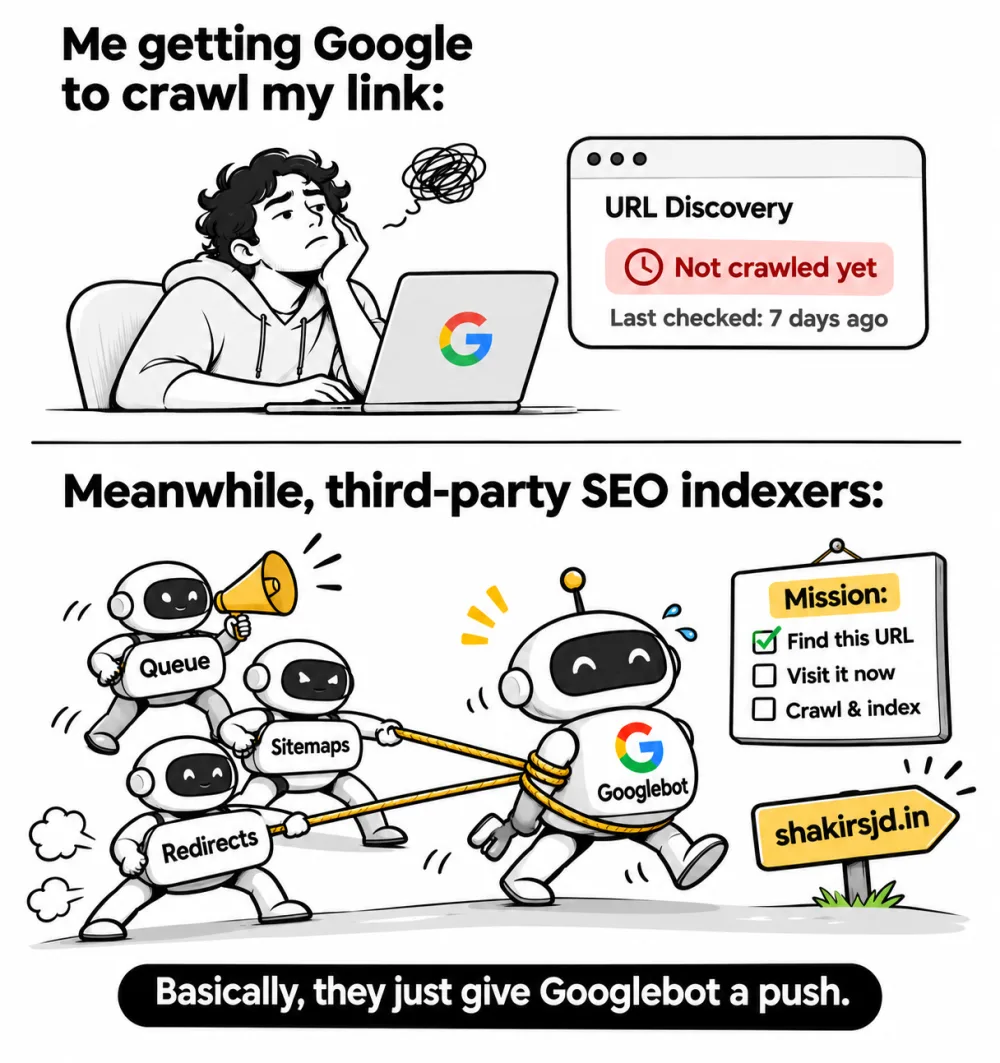
I submit a URL to Google Search Console and wait for days. Meanwhile, third-party indexing tools claim they can get Googlebot's attention in minutes. As an engineer, I wanted to understand what was happening behind the scenes.
So I read the vendors' own sites and the search engines' own documentation, then asked: if I had to build one of these, what would it look like? I run programmatic SEO sites, so this matters to me. A page that is not indexed gets no traffic.
I have not tested any of these services, so I won't tell you which works best. This is a map of what is known, what is claimed and what is guessed.
How I label things
- Verified: written in official search engine documentation, or visible on the vendor's own page when I checked on 2026-11-25.
- Claim: something a vendor says about itself that I could not confirm independently.
- Hypothesis: my engineering guess about how a thing could work.
- Proposed: a design I'd build myself.
I make no claim about how any specific company runs its systems. If a vendor doesn't publish its method, I say so.
The services, from their own pages
Prices are the list prices I saw. They change, and some pages ran sales.
| Service | Status when I checked | Pricing model | API | Third-party URLs |
|---|---|---|---|---|
| PrimeIndexer | Live | One-time credit packs, credits do not expire | FAQ says API access exists | Says any link Google allows |
| IndexMeNow | Live | Credit packs, no subscription | Free API on all projects | Yes, submitted by URL |
| Rapid URL Indexer | Live | Credits, from about $0.04 to $0.05 each | REST API, WordPress plugin, Zapier | Yes, backlinks included, no Search Console needed |
| OneHourIndexing | Live | Monthly plans, $17 to $497 | Yes, including white-label API | Yes, backlinks |
| Indexification | Loaded over http only, https failed | I did not capture pricing | Has an API page | Yes, backlinks |
| Speed Links | Placeholder page | Not available | Not available | Not available |
| Google Search Console | Live, free | Free | URL Inspection API (read-only) | No, you must own the site |
| IndexNow | Live, free | Free open protocol | Yes, simple HTTP | Your own site only |
A few notes on each.
PrimeIndexer says it indexes URLs in "as fast as 30 seconds" and most within 2 minutes, with a 95% success rate, using "proprietary technology". It does not say what that technology is. Packs ran from $19 for 120 credits to $1,999 for 19,990 credits at list price. Claim, with no independent evidence on the page.
IndexMeNow says it sends each URL several times a day through a "combo of 3 methods", checks status hourly through a third-party checker, and re-credits URLs that are not indexed after 10 days. It cites about 80% indexed within 72 hours, from its own stats. The three methods are not named. Claim. The refund policy is a business term, not a technical proof.
Rapid URL Indexer is the most detailed. It says it monitors each project for 14 days, returns credits for unindexed URLs in Standard Mode, and has an "Apex" mode that costs 3 credits per URL. It says it does not need Search Console access. It reports a 91% average indexing rate. Claim again, but the pricing logic is unusually clear: you pay for outcomes.
OneHourIndexing has run under the HKSEO brand with a footer dating back to 2013. It shows its own test table: for example one test of 5,000 links reached 17% after 1 hour and 72% after 3 days. It also says it is "Google approved". I found no Google document that endorses it. Claim.
Indexification loaded over plain http when I checked, and https failed to connect. It claims over 800,000 users. Treat that as marketing.
Speed Links: when I checked, speedlinks.net was a placeholder page. I cannot say it is a working service.
None of these pages published a reproducible test from a third party. That doesn't mean the services don't work. It means I can't confirm the numbers.
Fundamentals: how a page gets into Google
Google describes three stages: crawling, indexing and serving results.
- Discovery. Google finds a URL from links, sitemaps or past knowledge.
- Crawling. Googlebot fetches the page.
- Rendering. Google runs the page's JavaScript to see the final content.
- Indexing. Google analyzes the content and decides whether to store it.
- Ranking. At query time, Google picks from the index.
Google says not every crawled page is indexed. That is why a page can be crawled and still sit under "Crawled - currently not indexed". Bingbot works on the same general pattern, though Bing has its own rules.
Crawling is not indexing, and indexing is not ranking. A paid tool can influence the first step at most.
Crawl budget
Crawl budget is how many URLs Googlebot can and wants to fetch from your site. Google's docs say it mainly matters for very large sites or sites that change fast. For most sites, they say, it isn't something to worry about. If you have tens of thousands of generated pages, though, it matters more.
Sitemaps, RSS and links
- XML sitemaps list URLs. Google says it uses
lastmodwhen it is consistently accurate and ignorespriorityandchangefreq. - RSS and Atom feeds are accepted as sitemap formats too, and are handy for frequently updated content.
- Internal links are the strongest discovery path on your own site. A page with no links to it is hard to find.
- Backlinks let crawlers reach you from other pages they already visit often.
Why it takes days or weeks
Google does not crawl every URL equally often. A new URL on a site with few links and little history sits in a queue. Google's docs say changes can take days to weeks to be reflected. Priority depends on signals Google doesn't publish.
Why Search Console needs verification
Search Console shows private data about a site, such as search queries and crawl problems. Google requires you to prove ownership first. That is why you can't use it to request indexing for someone else's backlink. It is also why third-party tools exist: they work on URLs you don't own.
Google's Indexing API vs IndexNow
| Google Indexing API | IndexNow | |
|---|---|---|
| Who runs it | Open protocol, supported by participating engines | |
| What for | Notify of updated or removed pages | Notify of added, updated or deleted pages |
| Allowed pages | Only JobPosting, or BroadcastEvent inside VideoObject | Any page on your site |
| Batch | Up to 100 calls per batch | Up to 10,000 URLs per POST |
| Ownership | Service account, verified in Search Console | Key file hosted on your site |
| Google supports it | Yes | Not on the endpoint list I saw |
| Engines | Bing, Yandex, Naver, Seznam.cz, Yep and Amazon, per its FAQ |
Two lessons here. First, Google's documented API does not fit ordinary blog posts or product pages. Google also says its spam policies apply to content submitted through it, and that you should not use multiple accounts to get around limits. Second, IndexNow helps with Bing and others, but not with Google, based on the endpoints I saw on its FAQ.
A possible architecture (hypothesis)
I am not describing how any company works. This is how I'd design a legitimate URL discovery and monitoring tool, and where I'd stop.
Layer 1: submission
- A REST endpoint accepts a URL list.
- Validate and normalize each URL: scheme, host, trailing slashes, tracking parameters.
- Deduplicate against what's already stored.
- Accept batches, and enforce rate limits per account.
- Push each accepted URL as a job onto a queue.
- A scheduler picks up jobs: do the first action now, check later, retry on a schedule.
Layer 2: discovery mechanisms
This is the part vendors don't publish. Here is how I'd sort the options:
| Mechanism | Status | Spam-policy risk |
|---|---|---|
| IndexNow ping | Documented for participating engines | None, if the URL is your own |
| Search Console sitemap submission | Documented | None, if you own the property |
| Dynamic XML sitemap or RSS feed that lists submitted URLs | Documented formats | Low for your own URLs. Cross-site sitemaps need ownership proof |
| Links from frequently crawled pages you own | Hypothesis | Low if links are natural and helpful |
| Feeder pages that exist only to link out | Hypothesis | High: it can look like a link scheme |
| Redirect chains used to nudge crawlers | Hypothesis | High: sneaky redirects are a listed spam type |
| Mass submission of low-quality backlinks | Hypothesis | High: amplifies link spam |
Layer 3: how search engines react
Whatever a tool does, the search engine's own scheduler decides:
- Does this URL look new, and from where was it discovered?
- Is the host healthy and fast?
- Do we already have content like this?
- Is it worth the crawl cost?
A signal can move a URL up the crawl queue. Nothing in public documentation says it can force indexing.
Layer 4: verification and cleanup
- Status checks. Search Console's URL Inspection API can report a URL's index status, but only for properties you own, and it has daily quotas.
- SERP checks. Searching
site:urlis an approximation. It isn't a precise measure, and automating it raises Terms of Service questions. - Retries. Re-run the discovery step on a schedule, with a stop after a fixed number of attempts.
- Expiry. End a job after a window (the vendors above say 10 or 14 days), mark the result, and archive it.
- Garbage collection. Delete stale jobs and logs.
- Reporting. Show per-URL state: submitted, crawled, indexed, not indexed, with timestamps.
A modern stack for a legitimate version
  Client / API user
        |
   Next.js or Astro dashboard  --->  PostHog (product analytics)
        |
   REST API (TypeScript, Node)
        |  validate, dedupe, rate limit
        v
   Queue  (BullMQ on Redis  OR  Cloudflare Queues)
        |
   Workers: IndexNow ping | sitemap/RSS update | status check
        |                          |
   PostgreSQL / Supabase       R2 (exports, logs)
        |
Cron: retries, expiry, cleanup| Piece | Why |
|---|---|
| Next.js or Astro | Dashboard and marketing pages. Astro suits the marketing site, Next.js suits an app UI. See Astro vs Next.js. |
| TypeScript, Node.js | One language across API and workers. Python with FastAPI is a fine alternative. |
| Redis and BullMQ | Mature job queues with retries and delays. Needs a Redis host. |
| Cloudflare Queues and Workers | Serverless alternative with no Redis to run. Pick one queue system, not both. |
| PostgreSQL or Supabase | Jobs, URLs, statuses, accounts. |
| Cloudflare R2 | Cheap object storage for logs and CSV exports. |
| Cron | Scheduled retries and expiry. |
| IndexNow API | The one notification channel that is documented and open. |
| PostHog | See which features customers actually use. |
Costs. I won't invent a price list. Each of these has a free tier or small starting price, so a prototype is cheap. The costs that grow are queue volume, database size, and any third-party SERP or checking APIs. Check each vendor's pricing page when you plan.
Why this matters for programmatic SEO
Publishing 100,000 pages does not mean Google will index 100,000 pages. Google's crawl budget guidance says large sites need to manage how bots spend time. Different kinds of sites hit this differently:
- SaaS directories. One page per tool. If many pages hold the same template with different names, expect many to sit in "Crawled - currently not indexed".
- Browser game sites. One page per game. Link games from category hubs so crawlers find them naturally.
- Comparison sites. "X vs Y" pages grow combinatorially. Build pairs people search for, not every pair.
- Large content platforms. Keep fresh content in feeds and an accurate
lastmod.
Things that help at scale: static HTML (Astro does this well), several sitemaps split by section, self-referencing canonical URLs, structured data that matches visible content, strong hub pages, and a monitor that watches indexing per template. If one template's indexing rate collapses, that is a content problem to fix, not a signal to buy credits.
For the strategy side, read Programmatic SEO mistakes I made and the technical SEO checklist.
The business view
Why people pay. Backlink builders, agencies and site owners all have URLs that Google hasn't picked up. Waiting costs them time. A tool that promises faster discovery sells time.
Customer segments. SEO agencies, link builders, affiliate site owners, and teams with large generated sites.
Pricing. The vendors I read use two models: prepaid credits (PrimeIndexer, IndexMeNow, Rapid URL Indexer) and monthly plans (OneHourIndexing). Credits fit spiky work. Subscriptions fit steady volume and give predictable revenue. Rapid URL Indexer's pay-per-success model shifts risk to the vendor, which is hard to run if your success rate is uncertain.
Barriers. The software is not the hard part. A queue and a dashboard are a weekend of work. The hard parts are results you can prove, keeping methods inside spam policy, and abuse prevention.
Dependency. The whole business depends on search engines. Rules or crawler behavior can change and the product is affected.
Could a legit version be profitable? Maybe, as a micro-SaaS, but I can't give numbers and won't pretend to. The part I find most promising is not "force indexing". It is monitoring and honest reporting: show customers which pages are crawled, which are indexed, and why others aren't. That is something a transparent tool can offer that opaque ones don't.
What I'd do in practice
- Fix the page before the plumbing. Thin pages stay out of the index regardless.
- Link new pages from pages that are already crawled.
- Keep sitemaps accurate, with true
lastmod. - Ping IndexNow on every deploy for Bing and others.
- Use Search Console to watch status.
- If you buy a service, treat it as an experiment: test on a small batch of URLs and compare with a control batch.
Related: technical SEO checklist, off-page SEO and SEO analytics.
Do this now
- Check your real index status In Search Console, open Pages and write down how many URLs are indexed, 'Crawled - currently not indexed' and 'Discovered - currently not indexed'. (15 min)
- Add an accurate lastmod to your sitemap Set lastmod only when the page content really changed. Google ignores priority and changefreq. (20 min)
- Set up IndexNow Generate a key, host the key file at your site root, and ping Bing with one changed URL. Confirm you get HTTP 200. (30 min)
- Link your 10 newest pages from a hub page Pick a page Google already crawls often (your homepage or a category page) and add real links to new pages. (20 min)
- Write your own indexing rule Finish this line: 'A URL gets submitted only when it has a unique answer, a canonical to itself and a link from a hub.' (10 min)
Frequently asked questions
How do SEO indexing tools work?
Their exact methods are not public. They accept a list of URLs, send signals meant to make search engines discover and crawl them, then check whether the URLs appear in the index. What those signals are is marketing language, not documentation. Google makes the final decision to index.
Are third-party URL indexers safe?
It depends on the methods, and the methods are usually undisclosed. Google's spam policies prohibit manipulative link schemes and sneaky redirects. Submitting your own good pages is low risk. Submitting low-quality or spammy backlinks is where the risk sits.
What is the difference between IndexNow and the Google Indexing API?
IndexNow is an open protocol where you ping participating search engines about changed URLs. Google is not on its endpoint list. The Google Indexing API is Google's own interface, but it is limited to pages with JobPosting or BroadcastEvent inside VideoObject markup.
Does getting crawled mean getting indexed?
No. Google can crawl a page and still decide not to index it. Being indexed also doesn't mean ranking. These are three separate steps.
Why are some pages 'Crawled - currently not indexed'?
Google fetched the page but chose not to store it in the index. Google says this status is common. If a whole template sits there, the pages probably add too little that is unique.
Do I need a paid indexer for programmatic SEO?
Usually not. Fix internal links, keep sitemaps accurate, use IndexNow for Bing and others, and cut weak pages first. A tool can't make a thin page worth indexing.
Sources
- Google Search Central - How Google Search works
- Google Search Central - Managing crawl budget for large sites
- Google Search Central - Sitemaps overview
- Google Search Central - Build and submit a sitemap
- Google Search Central - Indexing API quickstart
- Google Search Central - Using the Indexing API
- Google Search Central - Spam policies
- Google Search Console Help - Verify site ownership
- Google Search Console Help - Page indexing report
- IndexNow - Documentation
- IndexNow - FAQ
- PrimeIndexer (official site)
- IndexMeNow (official site)
- Rapid URL Indexer (official site)
- OneHourIndexing (official site)
- Cloudflare Queues docs
- BullMQ docs